A habit tracker that keeps you motivated
Goal Streak is designed around one idea: seeing your progress makes you want to keep going. Here's everything it can do.

See your whole year of progress
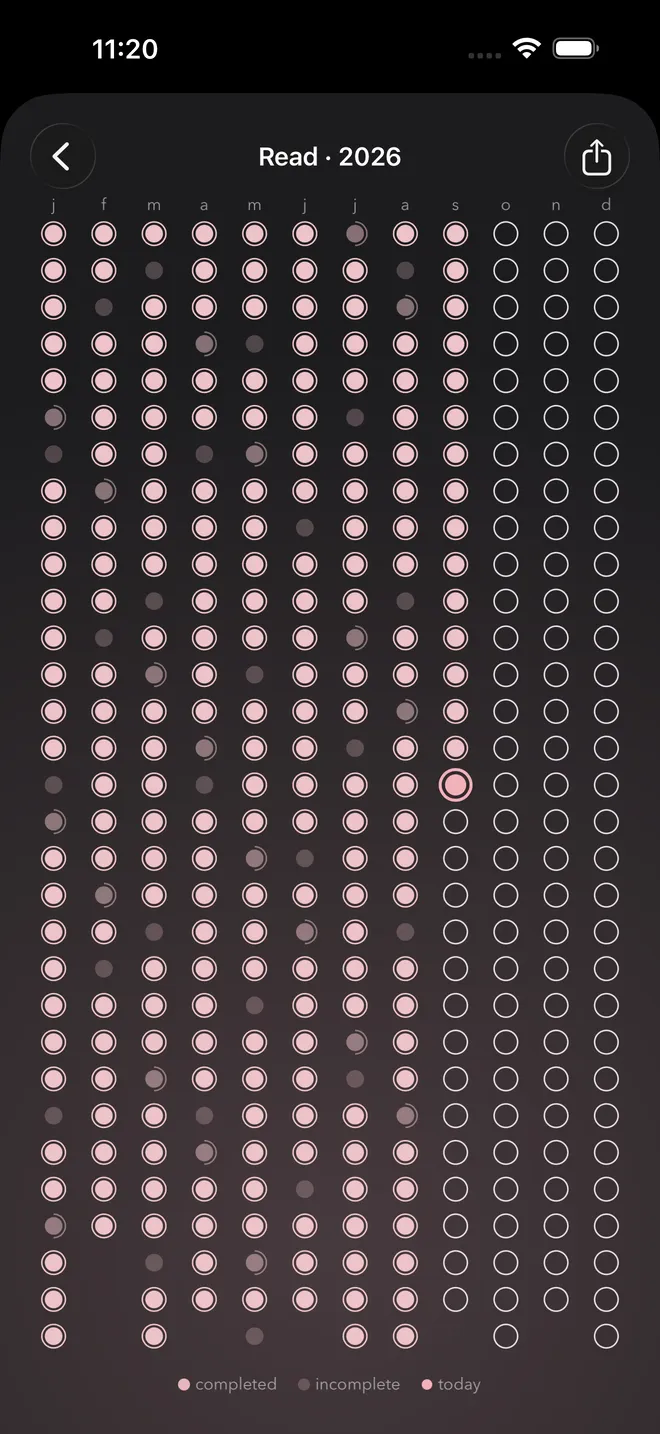
Each habit gets a calendar showing every day of the year on a single screen, one column per month. Completed days fill in, today is highlighted, and partly done days show how close you got.
It's the view that inspired the app: a clear, honest picture of your consistency that makes you want to fill in the next dot.
Habits that fit your real schedule
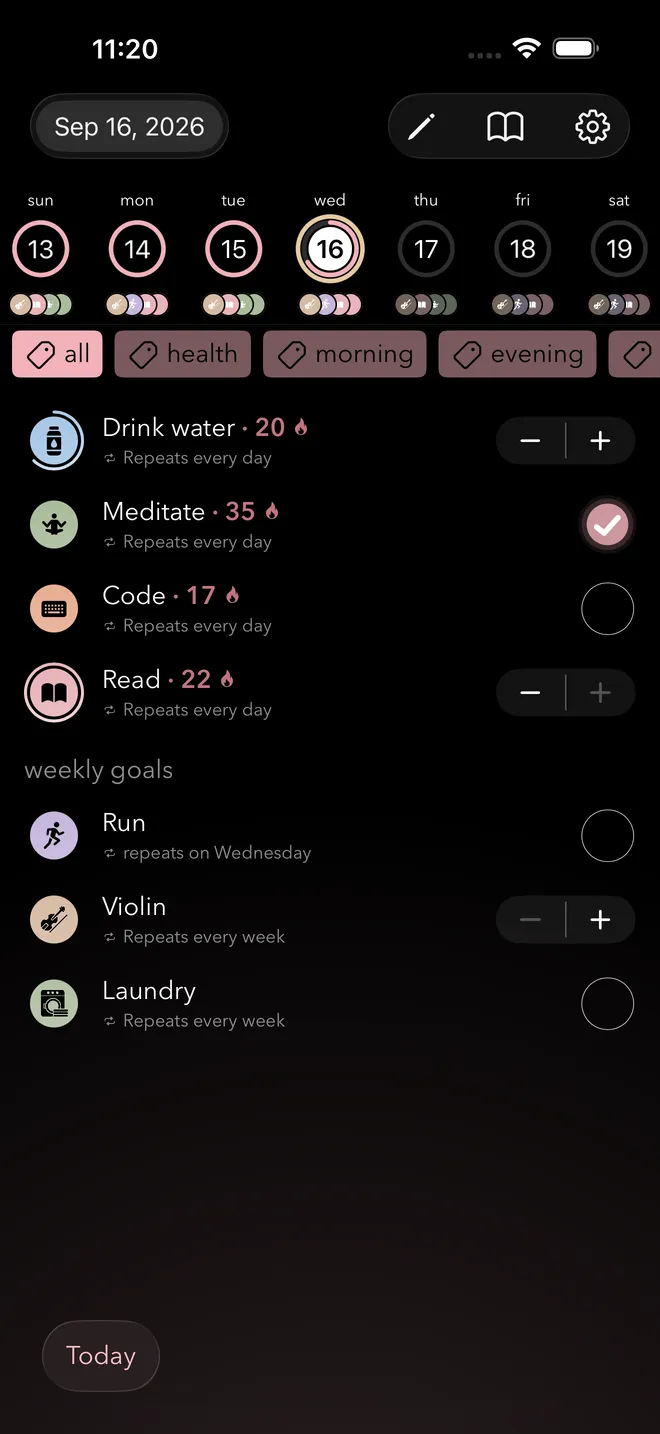
Not every habit is daily. Set each habit to repeat the way you actually do it:
- Every day, or every other day
- On specific days of the week
- Once a week
- Multiple times a day, with a +/− counter (great for glasses of water)
Track up to 3 habits for free, or as many as you like with Pro.
Celebrate every milestone
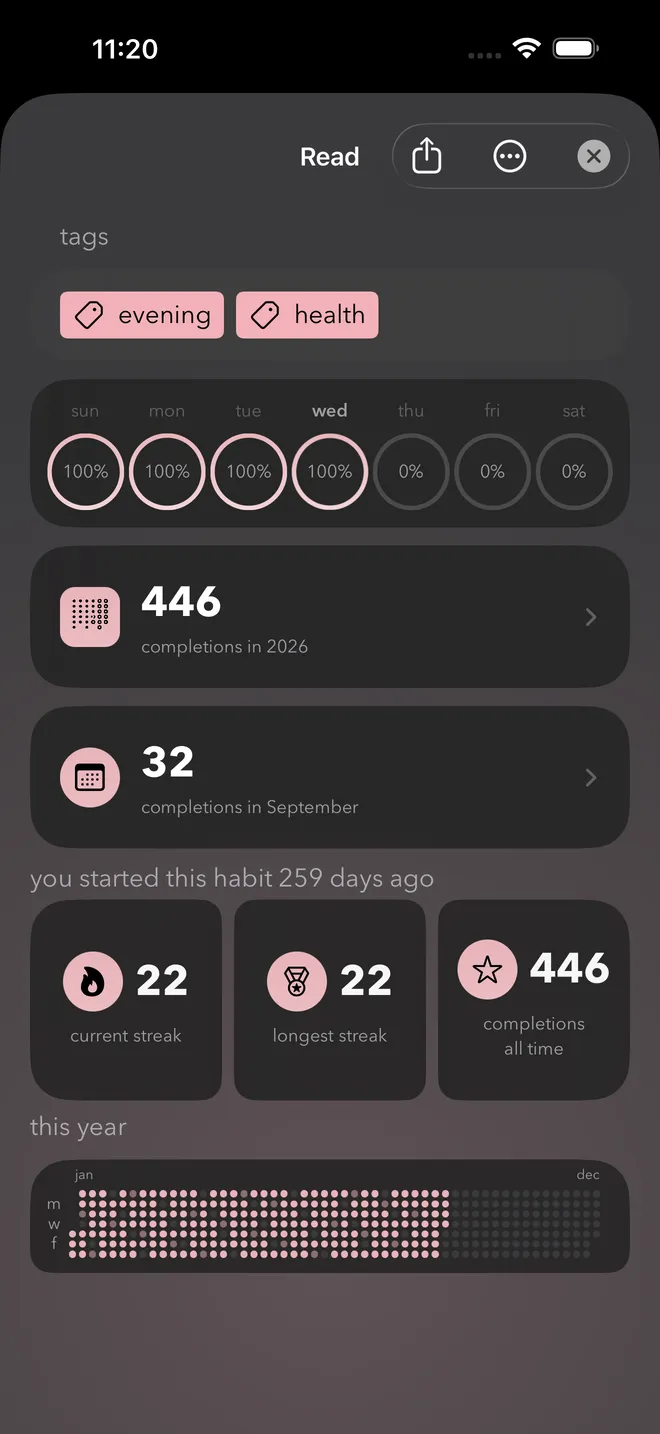
Open any habit for a detailed look at how you're doing:
- Current streak and longest streak
- Completions this month, this year and all time
- How many days ago you started
- Charts of completions, logged quantities and time tracked by week, month or year
Share your progress straight from the app when you hit a streak you're proud of.
Ride out every urge
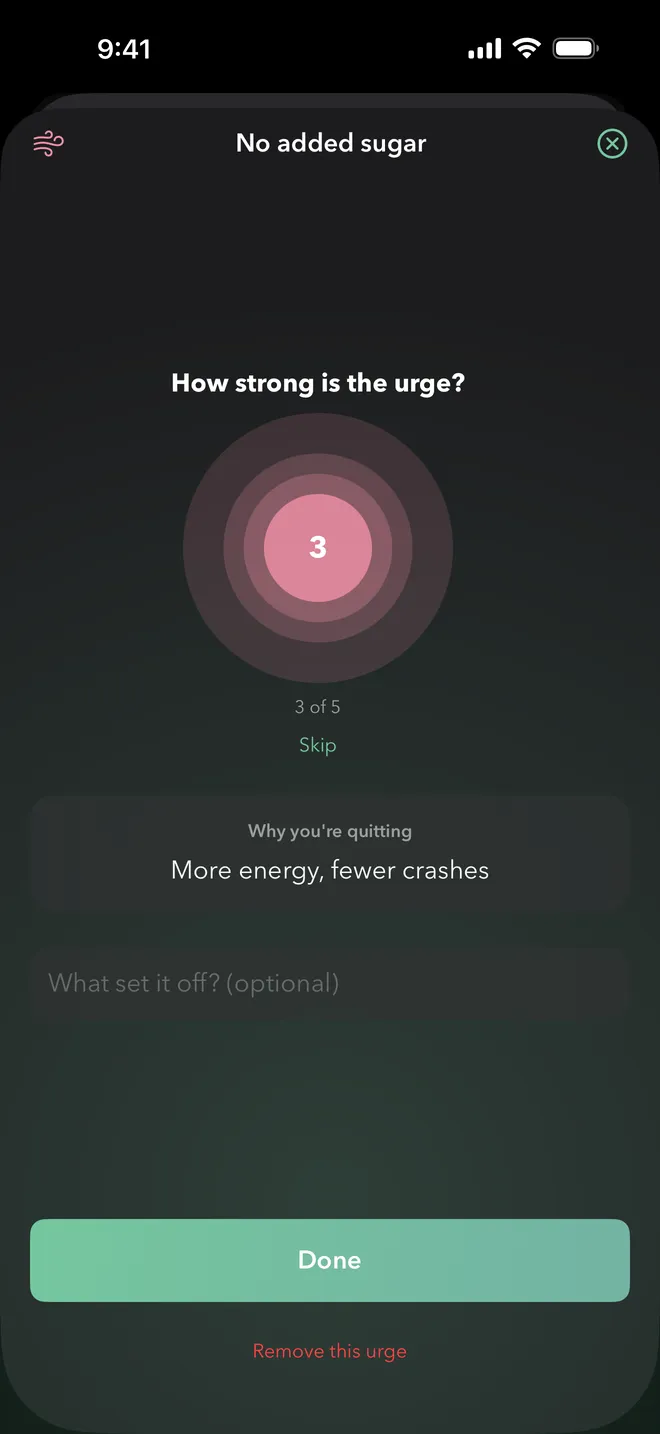
Goal Streak helps you break bad habits too. Quit habits count as done each day, so you only uncheck them if you slip.
Log an urge and how strong it feels, stay for a quick box breathing session, and note what set it off. Your urge history shows how it changes over time.
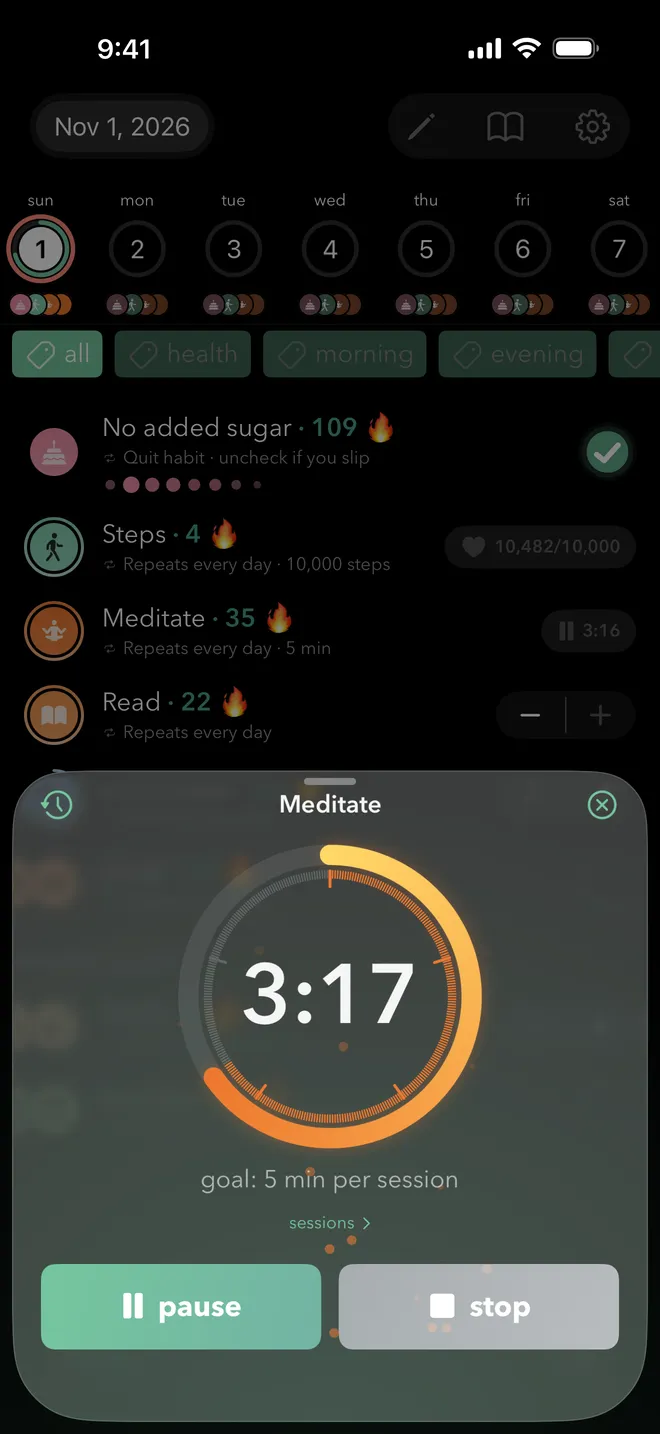
Time your habits
Set a time goal, like 5 minutes per session, and start a timer right from the Today view. Goal Streak keeps track of your sessions, and you can add time manually if you forget.
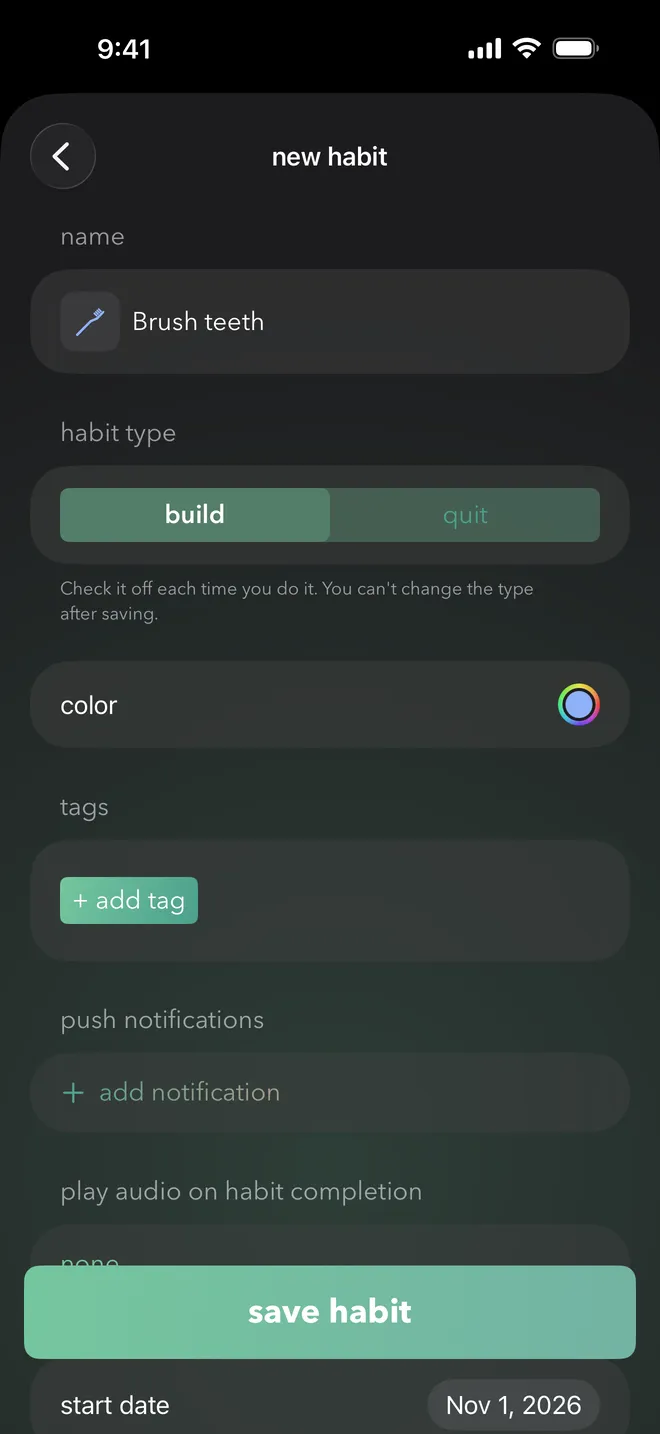
Easily start a new habit
Choose whether you're building a habit or quitting one, then give it its own name, color, icon, tags and completion sound.
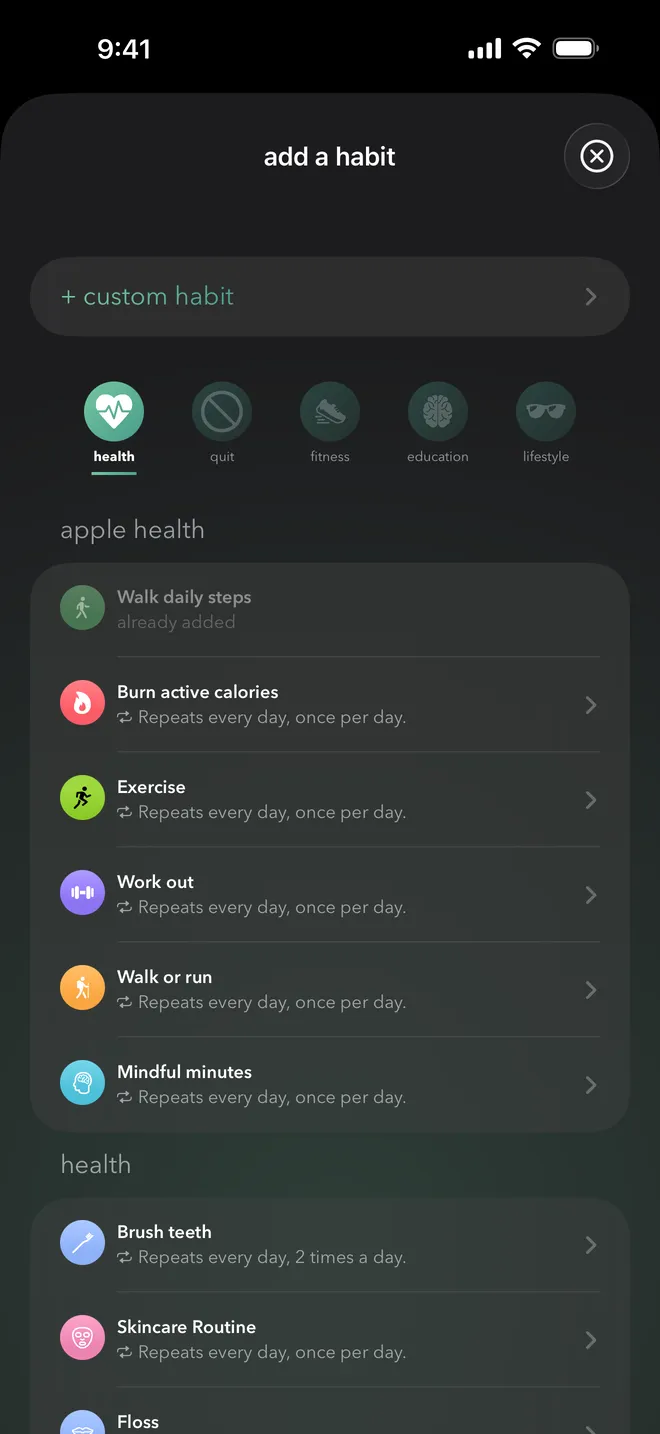
Choose from suggested habits
Not sure where to begin? Pick a ready-made habit for health, fitness, education or lifestyle, choose something to quit, or create your own.
Apple Health habits like steps, exercise and mindful minutes sync automatically. When you add one, the app can fill in up to a year of your streak from your Health history.
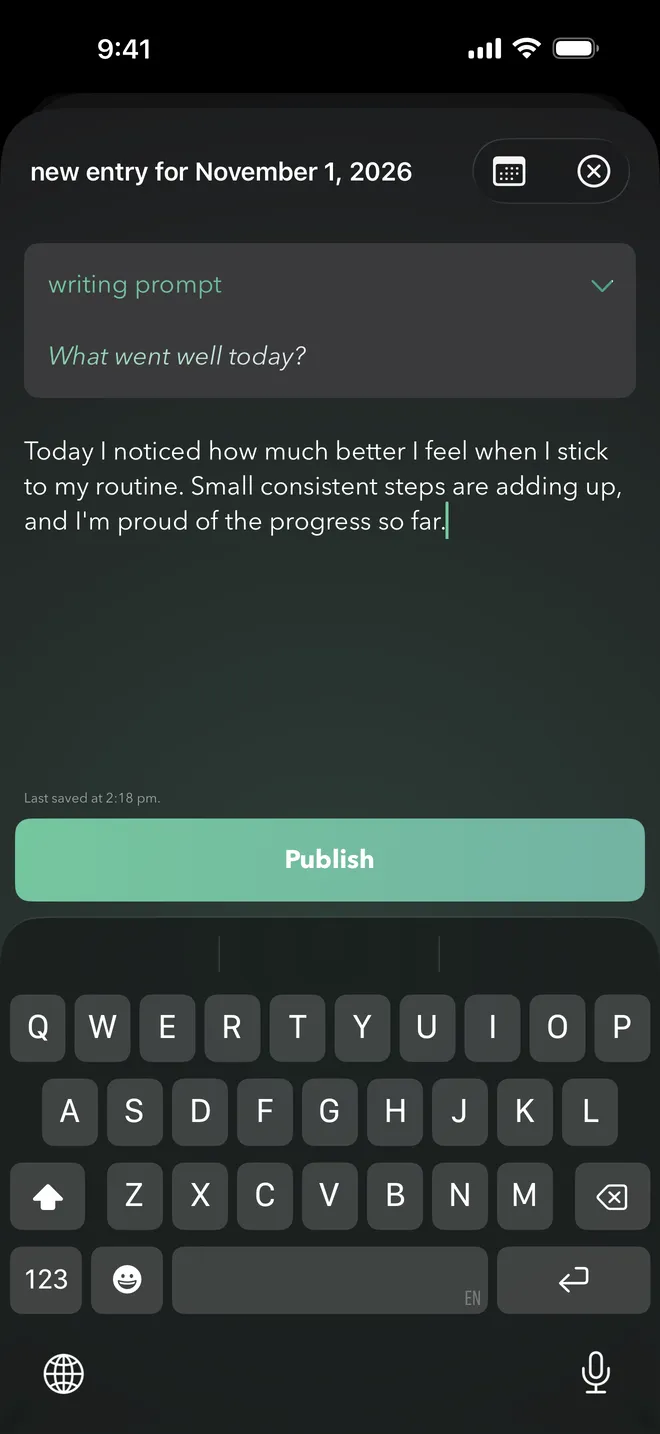
Writing prompts to help you reflect
A built-in journal gives you space to think about how your habits are going. When you don't know what to write, a writing prompt gets you started and helps you notice what's working.
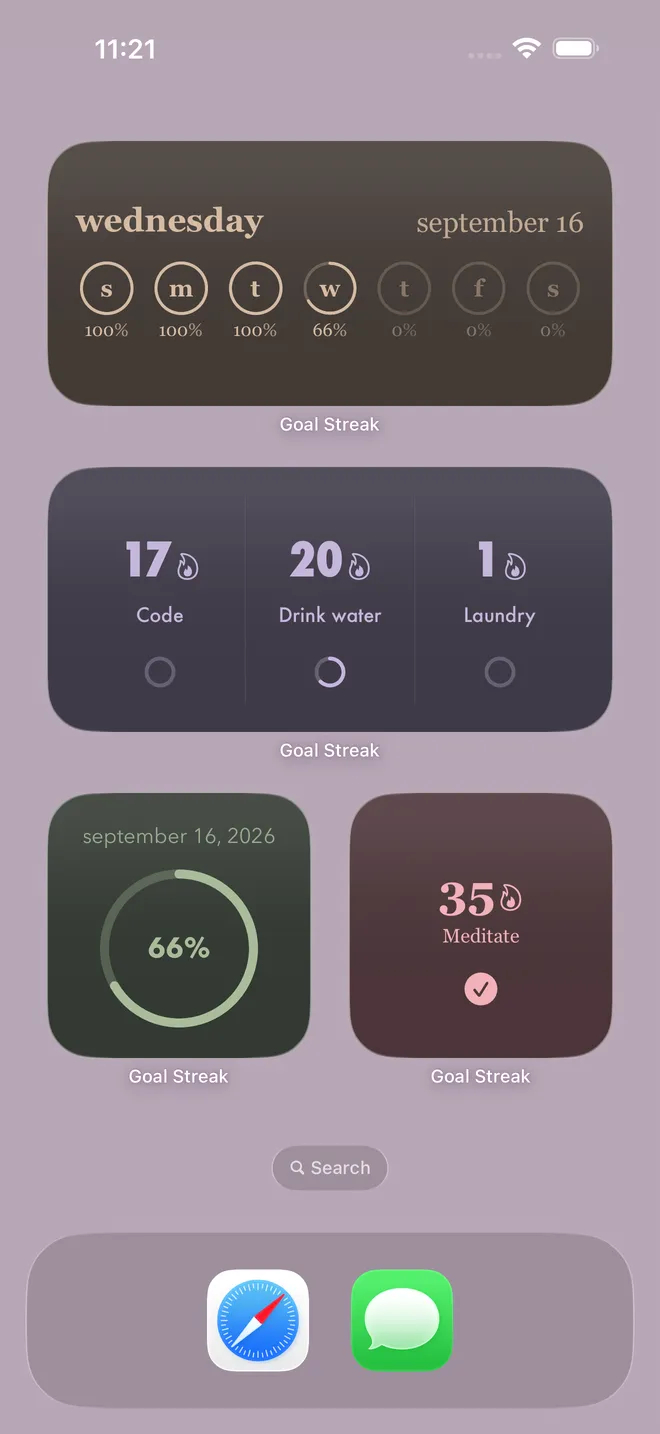
Check in without opening the app
Interactive Home Screen widgets let you complete habits with a tap and see daily and weekly progress at a glance. Choose from several widget styles and sizes.
Prefer your voice? Say “Complete a goal in Goal Streak” to mark a habit done with Siri or the Shortcuts app.
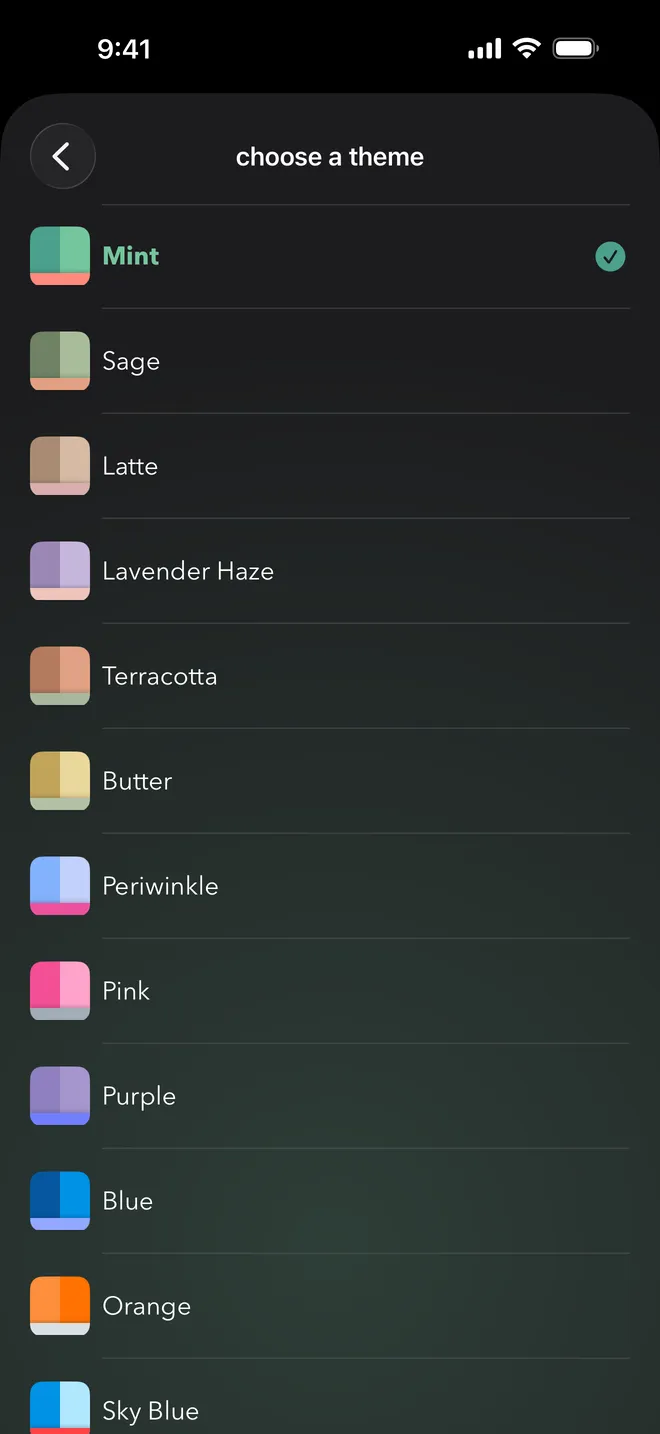
Make it feel like yours
Pro unlocks a range of color themes, including Sage, Latte, Lavender Haze and Terracotta, plus more app fonts. You can also change your streak style, and dark mode is fully supported.
Even more ways to stay on track
Turn a habit into a challenge
Give a streak a finish line and Goal Streak counts down the days remaining. It's perfect for a 30-day challenge, 75 Hard, Dry January, a training plan, or a New Year's resolution.
Streak freeze
Life happens. When you're sick, traveling or taking a planned rest day, use a streak freeze so one missed day doesn't reset weeks of progress.
A gentle nudge, exactly when you need it
Schedule as many reminders as you like, each with its own time and message. Have one to meditate in the morning, one to go for a run in the afternoon, and one to wind down with a book at night.
Reminders are optional, and they're scheduled on your device.
Organize your habits your way
Tag habits as morning, evening, health, or anything else, then filter the Today view to focus on one routine at a time.
When a habit has run its course, archive it. It leaves your daily list, but its history is saved.
Private by design
Your data never leaves your device, except to sync through your own iCloud account. There's no Goal Streak server storing your habits.
- No account or login
- Syncs across iPhone and iPad with iCloud
- No ads, analytics, or tracking
- Available in 9 languages

Ready to build a streak?
Goal Streak is free to download on iPhone and iPad.